

Peeling almost always signals an adhesive that never fully bonded. The fix is immediate: stop pulling the film, lay it back down, cover it with parchment, and re-press with slightly firmer pressure for 5 to 10 seconds before you touch anything else. If the print lifted after washing rather than right off the press, the culprit is usually under-bonding at the heat press or overly harsh laundering, not a flaw in DTF as a method.
TL;DR:
- Peeling during removal typically indicates improper peel method, film incompatibility, or under-bonding, especially with cold-peel or hot-peel films left to cool.
- Peeling after washing usually results from insufficient curing, harsh laundering, or incomplete adhesion, not a flaw in the DTF process itself.
- Consistent pressure, correct platen temperature, and matching peel instructions are critical to prevent peeling, with moisture and textile texture also affecting adhesion.
- Re-pressing a lifting print with additional pressure and a covered pass can often save the transfer if caught early, but full delamination requires reprinting.
- Running a sample wash test and documenting process settings can significantly reduce troubleshooting and increase the success rate of DTF prints before full production.
Table of Contents
- Diagnose DTF Print Peeling By When It Happens
- Common Causes of DTF Print Peeling and Cracking
- Quick Fixes to Stop DTF Peeling Right Now
- How to Prevent DTF Print Peeling Before It Starts
- Shop Perspective: What We Test Before a Print Leaves the Building
- Get Wash-Tested DTF Prints Without the Trial and Error
- Sources
- FAQ
Diagnose DTF Print Peeling By When It Happens
The timing of the failure tells you almost everything you need to know before you change a single setting.
Peeling during the peel step almost always means you used the wrong peel method for that specific film, or the film chemistry doesn’t match your press profile. Cold-peel films that get pulled while still warm will lift clean off the shirt. Hot-peel films left to cool too long can also resist properly, depending on the manufacturer’s formula.
Peeling minutes or hours after pressing usually points to incomplete curing or a missing finishing press. This is often recoverable with a second, covered press.
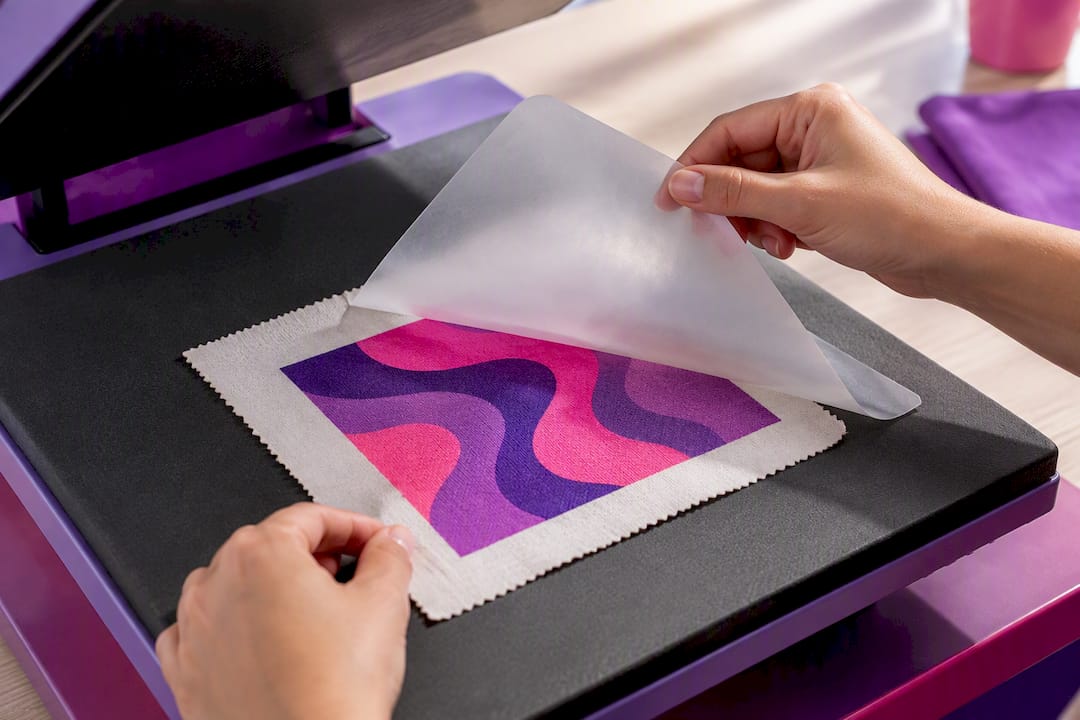
Peeling after the first wash is different from cracking, where the ink itself splits rather than lifts. Peeling after laundering is most often caused by under-bonding at the press or a laundering process that’s too harsh for the transfer.
Look closely at the pattern before you diagnose:
- Only the edges lift, leaving the center intact: pressure or dwell time issue at the border
- The entire sheet peels off in one piece: complete adhesive failure, usually temperature or time
- Adhesive residue remains on the shirt but the design is gone: powder didn’t fully melt into the fibers
Common Causes of DTF Print Peeling and Cracking
Treat DTF as a system where film, ink, powder, curing, press, garment, and laundering all interact. A repeatable sample test with logged settings is what lets you isolate which variable actually failed.
- Check true platen temperature. Digital displays lie more often than you’d think. Start around 300 to 325°F for cotton, but always follow the film manufacturer’s spec sheet over a generic number.
- Verify pressure is firm and even across the whole platen. Uneven pressure across seams creates localized weak spots, and pressure that’s too heavy can squeeze adhesive away from the print edges entirely. Pillows or lift pads under thick seams fix this fast.
- Confirm dwell time and add a finishing press. Many films need a second, covered pass to lock down edges that the first press missed.
- Match hot peel vs. cold peel to the carrier’s instructions exactly. Peeling at the wrong temperature is one of the most common failures in the entire process, according to common DTF troubleshooting guidance.
- Inspect your powder. Moisture-contaminated adhesive powder won’t melt correctly no matter how good your press settings are.
- Account for garment texture and pre-existing moisture. Heavy stretch fabrics and blanks pulled straight from a humid storage room both fight against adhesion.
- Review your wash-care instructions. Inside-out, cold wash, low dryer heat. Bleach and harsh detergents break down adhesive over time even when the initial press was correct.
Quick Fixes to Stop DTF Peeling Right Now
If a print starts lifting mid-peel or right after, you have a short window to save it.
- Stop and re-press immediately. Lay the film back down flat, cover it with parchment paper, and press again for 5 to 10 seconds with slightly more pressure than your first pass.
- Always finish with a covered press. A short parchment-covered pass locks down edges and improves how well the adhesive flows into the fabric fibers, which matters more for wash durability than most operators assume.
- If a garment came back peeling after a customer washed it, inspect the lift pattern first, then attempt a careful spot re-press before running a sacrificial wash-test on a matching sample.
- Know when to cut your losses. A localized edge lift is usually salvageable. Full sheet delamination almost always means reprinting the transfer from scratch.
- Test on a scrap blank first, then write down the exact settings that worked so you’re not guessing on the next run.
Cold-peel protocol matters more than people expect here. If the film starts lifting the moment you touch it during the peel, let it cool fully before trying again rather than fighting a warm sheet.
Pro Tip: Keep a small notebook or spreadsheet next to your press with the date, film brand, powder batch, temperature, dwell time, and garment type for every job. When something fails, you can trace it back to the exact variable that changed instead of guessing.
How to Prevent DTF Print Peeling Before It Starts
Prevention beats troubleshooting every time, and the routine is simpler than most small shops assume.
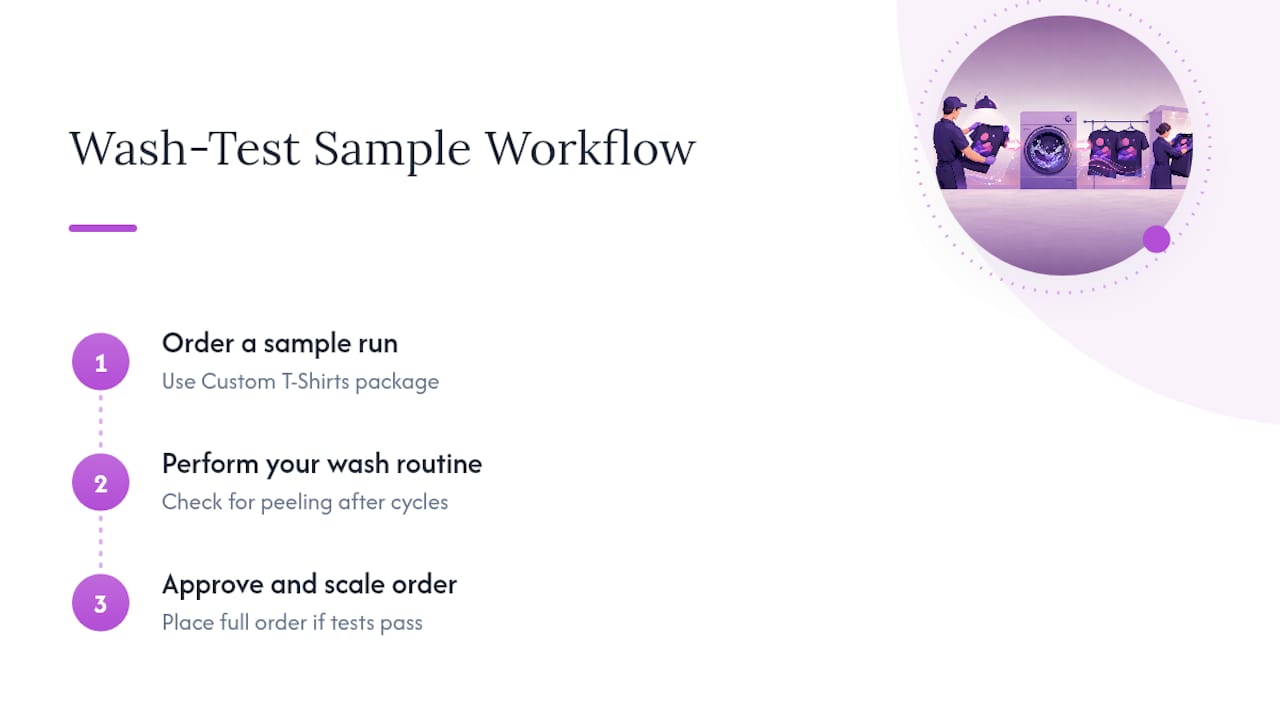
- Run a sacrificial sample first. Use the same transfer, garment, press, and settings you plan to use for the full order, then wash it 5 to 10 times before committing to a large batch.
- Verify platen temperature with an external thermometer, not just the press display, and log the confirmed number by consumable lot.
- Pre-press blanks for 3 to 7 seconds to pull moisture out of the fabric before you ever lay down film. Use pillows to keep prints off seams and zippers.
- Store powder in airtight containers with desiccant packs, and label batch dates so you know which stock might be getting stale.
- Give every customer a standard care card: wash inside out, cold water, mild detergent, low tumble or air-dry, no bleach.
A correctly applied DTF transfer should survive 50 or more wash cycles before showing meaningful wear. When a print fails well short of that, the cause traces back to pressing or laundering almost every time, not to a limit of the technology itself.
Our own shop-tested washing instructions get repeated to every customer for exactly this reason. A care card only works if someone actually reads it.
Shop Perspective: What We Test Before a Print Leaves the Building
Peeling complaints almost always trace back to one of two things: a press profile that was never actually verified against the film’s spec sheet, or a shop that skipped the wash test to save an afternoon. We keep documented settings for 100% cotton runs precisely because guessing at temperature and dwell time is how small operators end up eating remake costs.
The wash test is the part most shops skip under deadline pressure, and it’s the part that actually matters. Running a sample through 50 to 100 wash cycles before a bulk order ships isn’t about being cautious for its own sake. It’s the only way to catch a marginal press setting before it becomes a customer complaint three weeks later. When a test run shows early lifting, we delay and adjust. When it holds, we ship with confidence instead of hope.
— Jon Will
Get Wash-Tested DTF Prints Without the Trial and Error
Some shops skip the guesswork by using documented press settings and a wash-test routine before sending cotton shirts to customers, helping to reduce troubleshooting peeling after the fact.

If you’ve been fighting inconsistent adhesion on your own press, ordering a small batch first is the lowest-risk way to see the difference. The Custom T-Shirts package offers bulk custom 100% cotton shirts, which makes it an easy way to test a design or event order before committing to a larger print run. Event planners, small businesses, and families outfitting a reunion all use this tier to get a real sample in hand before scaling up. The same wash-tested approach carries over to custom tumblers and photo mugs if you’re building out a full merchandise line rather than just shirts.
Request a sample run, check it against your own wash routine, and place your order once you’ve seen the results hold up.
Sources
Every film and powder combination has its own spec sheet, and that document is always the final word over generic advice, including this article. The DTF Premium Matt application instructions give exact temperature and pressure recommendations for one common film line. The heat press settings guide breaks down pressure calibration across different press types. For diagnostic order-of-operations when something’s already gone wrong, the DTF cracking diagnostic guide walks through isolating variables step by step. If you’re proofing designs before a production run, the print industry’s approach to proofing custom signage offers a useful parallel workflow for catching errors before mass production.
- Why Is My DTF Print Cracking or Peeling After Washing? | DTF Database
- DTF cracking diagnostic order-of-operations
- DTF heat press settings guide
FAQ
Should You Let DTF Cool Before Peeling?
It depends entirely on the film. Cold-peel transfers need to cool fully before you peel or the adhesive won’t have set, while hot-peel films are designed to come off warm. Check your specific film’s application instructions rather than assuming one method applies to every roll.
How Do You Fix DTF Print Peeling After Pressing?
Lay the film back down over the lifted area, cover it with parchment paper, and re-press for 5 to 10 seconds with slightly firmer pressure than your original pass. This finishing press often locks down edges that the first press missed, and it’s worth doing on every job as a habit, not just as a fix.
How Long Will a DTF Print Last?
A correctly pressed and laundered DTF transfer should survive 50 or more wash cycles without significant peeling or cracking. Shaysprintshop wash-tests its cotton shirt runs against this same benchmark before shipping bulk orders.
Can You Re-Press a DTF Print After Washing?
Yes, in many cases a localized lift after washing can be carefully spot re-pressed if you catch it early and the garment is still otherwise intact. Full sheet delamination after washing, though, usually means the adhesive failed broadly and the transfer needs to be reprinted rather than repaired.
Is DTF Peeling Different From DTF Cracking?
Yes. Peeling is the film or ink layer lifting away from the fabric, while cracking is the ink itself splitting into visible fracture lines. They usually point to different root causes: peeling traces back to adhesion problems, while cracking is more often tied to over-stretching or the print not curing correctly.
0 comments