

The three tote directions that sell most consistently right now are typography-first statements, single-icon illustrations, and bold color-block graphics. You can open Adobe Express, Kittl, or Shaysprintshop today and have a working concept in under an hour.
- Typography-first: A punchy phrase or single word in a strong typeface, centered on the bag face. No illustration needed.
- Single-icon illustration: One clean graphic (a plant, a coffee cup, a city skyline) with generous white space around it.
- Bold color block: A geometric shape or abstract fill that carries the design, with minimal text layered on top.
Pro Tip: Before you commit to a full run, create a print-size mockup of one design at actual dimensions (roughly 10" x 12" for a standard tote face) and order a single sample. What looks balanced on a laptop screen often reads too small or too low on real fabric.
Key Takeaways
The most effective tote bag designs are simple, niche-specific, and tested on a physical sample before any production run is placed.
| Point | Details |
|---|---|
| Start with three directions | Typography-first, single-icon illustration, and bold color block are the most consistently sellable starting points. |
| Match design to print method | Use screen print for simple, high-volume runs; DTF or DTG for full-color or small-batch designs. |
| Test before you scale | Order one to three samples and inspect placement, color, and wash durability before committing to a full run. |
| Niche designs outperform generic ones | Collections built around a specific identity (plant lovers, local city pride, bookworms) convert better and support higher margins. |
| Shaysprintshop for production | Shaysprintshop offers DTF and DTG tote printing with bulk pricing and US-based fulfillment for creators and small sellers. |
Table of Contents
- What are the best tote bag design ideas right now?
- Which 2026 trends are buyers actually purchasing?
- Practical design rules and printing methods you need to know
- What fabrics and finishes work best for printed tote bags?
- Where should you place art, and how big should it be?
- Which tools help you mockup and test designs before printing?
- How do you turn a finished design into a product you can sell?
- How do you sell and market your tote bag designs?
- Why restraint usually wins in tote bag design
- Shaysprintshop makes it easy to go from design to finished tote
- Useful resources to keep building
- Sources
What are the best tote bag design ideas right now?
The Shopify blog’s roundup of tote design directions makes a useful point: top-selling tote designs are almost always simpler than creators expect. Here are 12 concrete ideas you can adapt today.
-
Bold quote or saying. A short, punchy phrase (“Read More Books,” “Farmers Market Regular”) set in a heavy serif or condensed sans-serif. Best for bookshops, markets, and gift shops. Use Kittl’s text-effect templates to add a vintage press feel without custom lettering.
-
Single botanical illustration. One hand-drawn or vector plant, flower, or leaf centered on natural canvas. Sells well at craft fairs and on Etsy to home-décor buyers. Adobe Express has ready-to-edit botanical templates that work at tote scale.
-
Retro badge or crest. A circular or shield-shaped badge with a location name, founding year, or short motto. Popular for local businesses, breweries, and sports teams. Keep the design to three colors for clean screen printing.
-
Minimal line-art portrait or pet. A single-line or two-tone portrait of a pet, person, or character. Personalization premiums are real here; buyers pay more for their own dog’s face. Use Canva’s custom upload feature to drop a photo into a line-art template.
-
Abstract color-block pattern. Two or three geometric shapes in contrasting colors, no text. Works for fashion-forward buyers and brand merchandise. DTF printing handles the color transitions cleanly.
-
Food or market theme. Illustrated vegetables, fruit, or pantry items arranged in a loose grid or wreath. Farmers-market shoppers and food bloggers are the core audience. Pinterest boards are the fastest way to pull reference images and spot which food motifs are trending.
-
City or neighborhood silhouette. A skyline or landmark outline with the city name below. Local pride sells year-round and spikes around holidays. Keep the silhouette as a single flat color so it reads at a distance.
-
Astrology or celestial theme. Star charts, moon phases, or constellation maps with a zodiac sign name. Gen Z buyers are the primary audience. Kittl’s celestial illustration packs give you vector-ready art that scales without pixelation.
-
Vintage travel poster style. A destination, mountain range, or national park rendered in a limited, muted palette with retro typography. Sells well on Etsy and at outdoor-gear pop-ups. Adobe Express’s poster templates adapt easily to tote dimensions.
-
Pattern repeat or allover print. A small motif (a leaf, a doodle, a geometric tile) tiled across the full bag face. Works best with all-over printing methods. Canva’s pattern generator lets you build a repeat tile in minutes.
-
Branded business tote. A company logo, tagline, and brand colors on a clean background. The workhorse of promotional merchandise. Tote bags used as branded packaging or event giveaways extend your brand’s reach every time the bag leaves the house.
-
Seasonal or holiday design. A limited-edition graphic tied to a specific season (fall harvest, winter market, summer beach). Short runs create urgency and let you test new styles without large inventory risk.
Pro Tip: Limit your design to three colors or fewer when you plan to screen print. Every additional color separation adds cost and complexity. For full-color or photographic art, DTF or DTG is the better route.
Which 2026 trends are buyers actually purchasing?
The tote bag market in 2026 is moving in a few clear directions, and matching your design to the right buyer type saves you wasted production runs. Sources tracking 2026 tote design trends point to large-canvas prints, soft organic shapes, and full-bleed color as the formats gaining the most traction.
- Sustainability messaging: Recycled-material totes with a visible “made from recycled cotton” tag or a printed eco-statement. Buyers who shop at zero-waste stores and farmers markets respond to this.
- Minimalist typography: One word or a short phrase in a clean typeface, nothing else. Gen Z and millennial buyers who want a bag that feels intentional, not loud.
- Retro and muted palettes: Earthy terracotta, sage, dusty rose, and cream. Vintage-market shoppers and home-décor buyers are the core audience here.
- AI-assisted pattern art: Intricate, symmetrical patterns generated with AI tools and then refined for print. Appeals to buyers who want something visually complex but cohesive.
- Personalization and custom portraits: A name, a pet, or a custom illustration. Gift buyers and event planners are the biggest spenders in this category.
| Buyer audience | Trending styles that convert |
|---|---|
| Gen Z shoppers | Celestial/astrology, minimal text, bold color block |
| Farmers-market regulars | Food/veg illustration, botanical, eco-statement text |
| Small business owners | Branded logo tote, event-specific design, city silhouette |
| Gift buyers and event planners | Custom portrait, seasonal limited run, personalized name |
| Outdoor and travel enthusiasts | Vintage travel poster, national park silhouette, map art |
Niche collections built around a specific identity (plant lovers, bookworms, local city pride) tend to outperform generic one-off designs because they fit buyer identity and gifting occasions naturally.
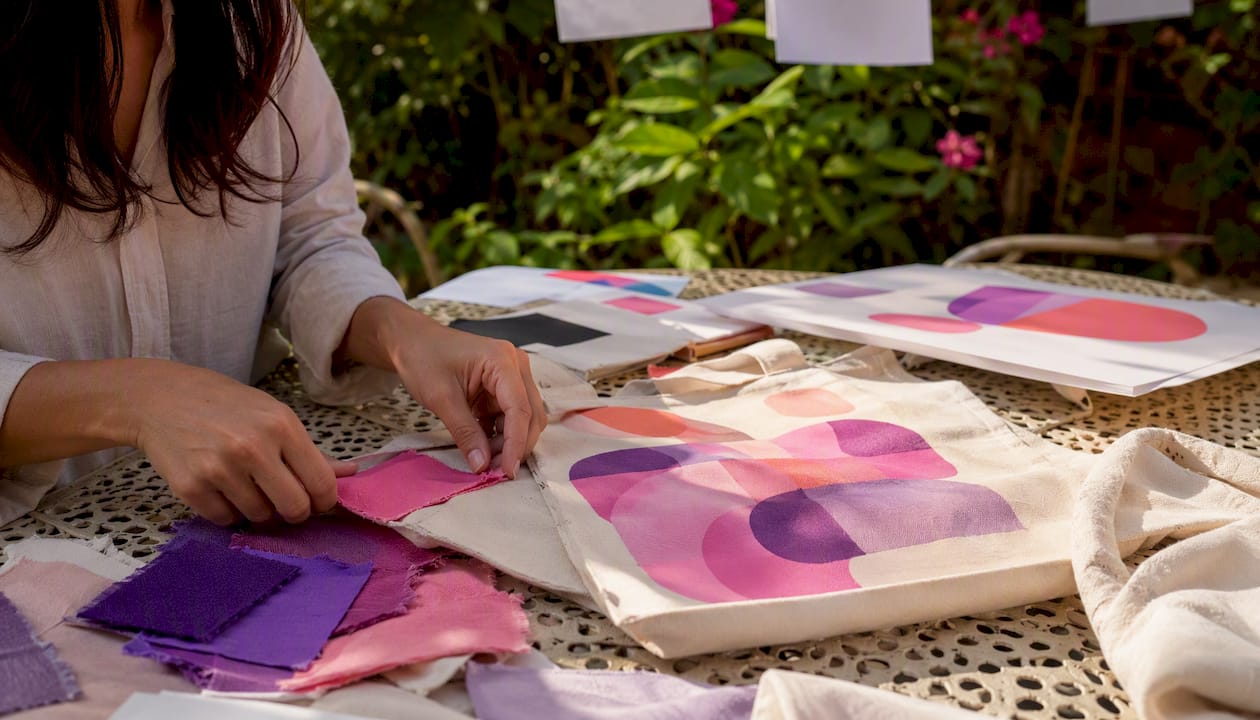
Practical design rules and printing methods you need to know
Getting a design onto a tote bag is not the same as printing on paper. Fabric stretches, seams interrupt placement, and natural canvas absorbs ink differently than coated stock. These rules will save you from expensive reprints.
Design rules that matter at production scale
- Contrast first. Natural canvas is an off-white or tan base. Light colors and pastels disappear. Test your design on a tan background in your editor before sending files.
- Stay above the seam line. The bottom seam of most tote bags sits 2"–3" from the base. Art that crosses it looks broken in real life.
- Keep a safe zone. Leave at least 0.5" of clear space on all sides of your art. Strap attachment points on the sides can eat into edge-placed graphics.
- Limit color separations for screen print. Each color is a separate screen and a separate cost. Three colors is the practical sweet spot for affordable runs.
- Use vector files when possible. Vector art (SVG, AI, EPS) scales without quality loss. Raster files need to be at least 300 DPI at the final print size.
Printing method quick guide
Choosing the right print method depends on your run size, color count, and budget. The DTG vs. DTF comparison from Shaysprintshop is a useful reference for understanding when each method makes sense.
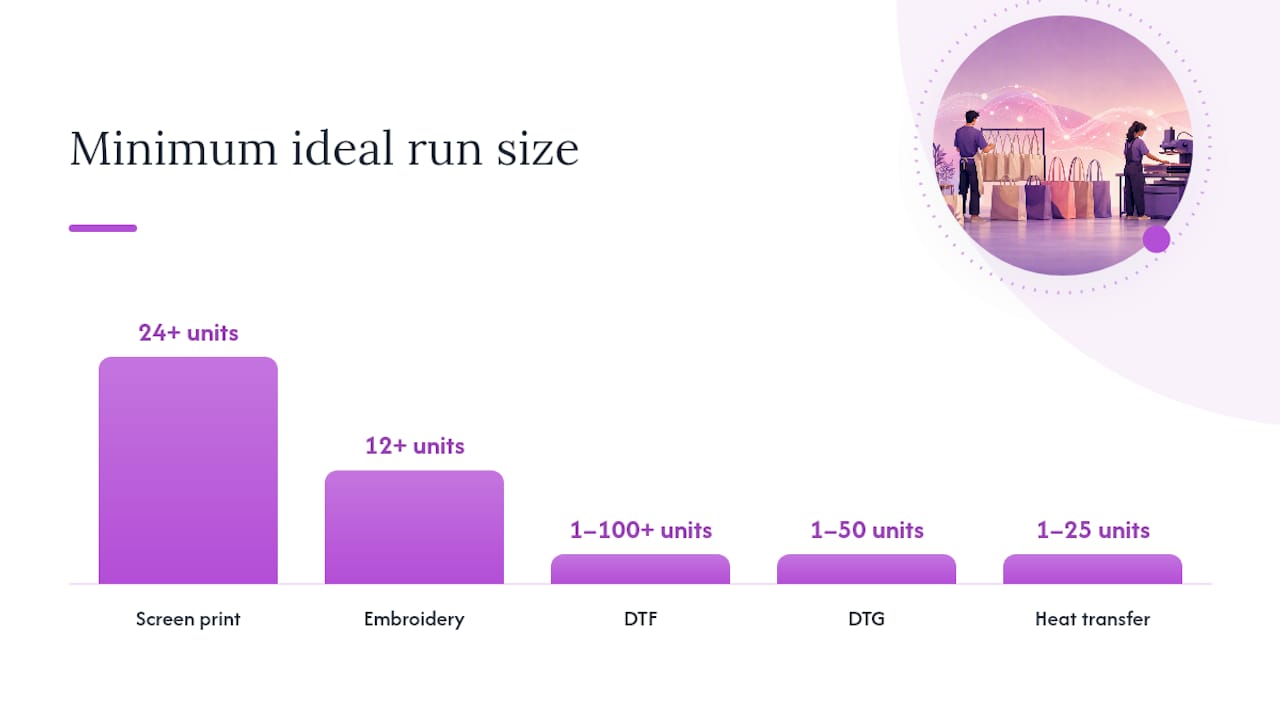
| Method | Best for | Ideal run size | Cost range | Key strength |
|---|---|---|---|---|
| Screen print | Simple, high-contrast designs | 24+ units | Low per unit at volume | Durability, vibrant color |
| DTF (Direct-to-Film) | Full color, detailed art | 1–100+ units | Moderate | No color limit, works on most fabrics |
| DTG (Direct-to-Garment) | Photo-realistic or complex art | 1–50 units | Moderate to high | Soft hand feel, no setup fee |
| Heat transfer | Simple logos, short runs | 1–25 units | Low setup cost | Fast turnaround |
| Embroidery | Premium, textured look | 12+ units | Higher per unit | Perceived quality, durability |
| All-over print | Pattern repeats, edge-to-edge art | 1–50 units | Higher per unit | Full coverage, bold visual impact |
Pro Tip: Order a color proof on the actual fabric before committing to a full run. Colors shift when ink hits natural canvas fibers, and what looks like a bright coral on screen can print as a muted salmon on uncoated cotton.
What fabrics and finishes work best for printed tote bags?
The material you choose affects print clarity, durability, price point, and how your bag is perceived by buyers. Here is a practical breakdown.
- Uncoated natural canvas (10–12 oz): The classic tote material. Ink absorbs into the weave, which gives a slightly matte, vintage look. Great for screen print and DTF. The texture adds character but can soften fine details.
- Midweight cotton canvas (6–8 oz): Lighter and more affordable. Prints cleanly with DTG and DTF. Better for everyday-carry totes sold at lower price points. Less durable under heavy loads.
- Recycled cotton or rPET blends: Made from post-consumer materials. Slightly rougher texture, but the sustainability story adds perceived value for eco-conscious buyers. Works well with screen print and heat transfer.
- Coated or laminated canvas: A water-resistant finish that makes colors pop and protects the print. Higher cost, but justified for premium or market-vendor totes that need to survive outdoor use.
- Jute or burlap: Rough texture limits print detail, but the natural look pairs well with simple, bold graphics. Popular for farmers-market and rustic-branding aesthetics.
For most sellers starting out, a midweight cotton or canvas tote in the 8–10 oz range hits the right balance of print quality, durability, and cost. If your brand story includes sustainability, a recycled-cotton option adds a talking point that justifies a higher retail price.
Material selection checklist:
- Target retail price under $20? Go midweight cotton, screen print or DTF.
- Selling at premium craft fairs or boutiques? Coated canvas with DTF or embroidery.
- Eco-brand positioning? Recycled cotton or rPET blend with a printed eco-statement.
- Bold, simple logo or text only? Natural canvas, screen print, three colors or fewer.
- Full-color or photographic art? Coated canvas or midweight cotton, DTF or DTG.
Where should you place art, and how big should it be?
Placement is where most first-time tote designers make avoidable mistakes. A design that looks perfectly centered in a flat mockup can read as too low, too small, or cut by a seam on the actual bag.
- Raise your focal art. The visual center of a tote bag when it is carried sits in the upper half of the bag face. Place the main graphic or text in the top 60% of the printable area.
- Avoid the seam zone. Keep all art at least 2" above the bottom seam and 1" from side seams. Stitching distorts anything that crosses it.
- Account for strap overlap. On bags with short handles, straps can cover the top corners of your design when the bag is carried. Center your art horizontally and keep critical elements away from the top 1.5" of each side.
- Minimum readable type size. On a standard 14" x 16" tote, body text should be no smaller than 18pt at print size. Headlines work best at 36pt or larger. Thin strokes (under 1pt at print size) disappear on canvas.
- Contrast check. Place your design file on a tan or off-white background and view it at arm’s length. If you squint and lose the text, increase the font weight or add a subtle outline.
- Centered vs. offset placement. Centered art reads as classic and clean. Offset or asymmetric placement reads as editorial and fashion-forward. Match the placement style to your buyer’s aesthetic.
Common mistake: Placing a horizontal logo at the very center of the bag face. When the bag sags under weight, the logo drops below the visual midpoint and reads as an afterthought. Move it up 1"–2" from true center and the difference is immediate.
Which tools help you mockup and test designs before printing?
Testing your design before you order a production run is the step most creators skip and later regret. Mockup testing should simulate how the bag looks folded, worn, and at a distance, not just flat on a white background.
Recommended tools
- Adobe Express: Fast template-based design with tote-specific layouts. Best for typography and nature-themed designs. Free tier available; paid plan unlocks premium templates. Adobe Express tote templates are a solid starting point for quick prototyping.
- Kittl: Strong for vintage, badge, and illustration-heavy designs. Includes built-in mockup previews and a library of print-ready art. Free and paid tiers.
- Canva: Best for pattern repeats, photo-based designs, and team collaboration. The mockup feature lets you drop your design onto a bag photo in seconds. Free tier covers most needs.
- Pinterest: Not a design tool, but the fastest way to build a moodboard and spot which visual directions are gaining traction. Search “tote bag design 2026” and save 20–30 pins before you open your editor. Pinterest tote inspiration boards are a reliable starting point.
- Printable mockup templates: Free flat-lay tote mockups are available on sites like Freepik and Mockup World. Download a PSD or PNG template, drop in your art layer, and export at 300 DPI for a production-accurate preview.
Pre-order test checklist
- Export your design at actual print size (e.g., 10" x 12" at 300 DPI) and print it on paper.
- Hold the paper printout against a tote bag and check placement, scale, and readability.
- Fold the printout in half horizontally to simulate how the bag looks when carried. Does the design still read clearly?
- Check strap overlap: cover the top corners of your printout with your fingers and confirm the core design is unaffected.
- Swap your color palette to a grayscale version and check contrast. If it disappears, increase contrast before printing.
- Order one physical sample before any run over 10 units. Inspect print placement, color accuracy, and seam alignment on the actual bag.
How do you turn a finished design into a product you can sell?
Getting from a finished design file to a sellable product takes a short but specific workflow. Skipping steps here is where creators lose money on reprints or unsellable inventory.
-
Prepare your file correctly. Export as a vector (SVG, PDF, AI) or a high-resolution raster (PNG at 300 DPI minimum, at actual print size). Use CMYK color mode for offset or screen print; RGB is fine for DTF and DTG. Flatten all layers and embed all fonts before sending.
-
Confirm your print dimensions. Standard tote print areas run roughly 10" x 12" to 14" x 16" depending on the bag size. Ask your printer for their exact template or bleed requirements before finalizing art.
-
Order a sample first. Order one to three units before committing to a larger run. Inspect the sample for print placement (measure from the top edge and side seams), color accuracy against your proof, wash durability after one cold-water cycle, and seam strength under a loaded bag.
-
Set your price with margin in mind. A simple formula: production cost per unit + packaging + platform fees + desired margin = retail price. Personalized or limited-run designs can carry a 50%–70% margin because buyers expect to pay for uniqueness. Generic designs compete on price and need volume to be profitable.
-
Decide on minimums and run size. Screen print becomes cost-effective at 24+ units. DTF and DTG work for single units, which makes them ideal for testing demand before scaling. For bulk orders, Shaysprintshop’s pricing model (similar to their 10-for-$99 apparel packages) shows how bulk pricing drops your per-unit cost significantly.
-
Prepare your listing assets. Shoot the sample on a flat lay, on a model, and in a lifestyle context (at a market, on a shoulder). Three photo angles convert better than one. Write a product description that names the material, print method, dimensions, and care instructions.
-
Plan your packaging. A tote bag shipped in a poly mailer with a branded tissue and a small card costs very little but increases perceived value and repeat purchase rates.
How do you sell and market your tote bag designs?
A great design sitting in a drawer sells nothing. These tactics are specific to tote bags and the buyers who purchase them.
- List on Etsy with niche-specific tags. Etsy search rewards specificity. “Farmers market tote bag” converts better than “cute tote bag.” Use all 13 tag slots and include the material, theme, and occasion.
- Use Instagram and Pinterest for visual discovery. Flat-lay photos on natural linen or wood backgrounds perform well. Post the design process (sketch to mockup to finished bag) as a Reel or Story. Hashtags like #totebagdesign, #customtotebag, and #shopsmall reach buyers actively looking.
- Bundle with complementary products. A tote paired with a matching mug, sticker, or card sells at a higher average order value. Etsy’s “frequently bought together” feature surfaces bundles automatically.
- Use tote bags as branded packaging. If you sell other products, shipping them inside a branded tote instead of a plain box turns packaging into a marketing asset. Every customer who reuses the bag is a walking advertisement.
- Pop-up events and local markets. Tote bags are impulse buys at the right price point ($18–$28 for a well-made custom tote). Farmers markets, craft fairs, and holiday pop-ups are high-conversion venues for niche designs tied to local identity.
- Micro-influencer collabs. Send two or three sample totes to local creators or niche bloggers in your design’s category (food, plants, books). A single authentic post from a 5,000-follower account in your niche often outperforms a paid ad.
- Limited runs and seasonal drops. Announce a run of 25 units with a specific close date. Scarcity is real when the run is genuinely small, and it trains buyers to act quickly on future drops.
- Promotional giveaways for businesses. Branded totes work as promotional giveaway products for small businesses, nonprofits, and events. A business that orders 50 branded totes for a conference is a high-value single transaction.
One-week launch micro-plan:
- Day 1: Finalize design, order sample.
- Day 2–3: Sample arrives, photograph it in three settings.
- Day 4: Write listings for Etsy and/or Shopify, schedule Instagram posts.
- Day 5: Go live, share to Stories and Pinterest.
- Day 6–7: Engage with comments, send to one or two micro-influencers.
Why restraint usually wins in tote bag design
Most creators come to tote design with too many ideas and not enough editing. The bags that sell consistently are rarely the most complex ones. A single bold word in the right typeface, or one clean illustration with room to breathe, almost always outperforms a design that tries to say five things at once.
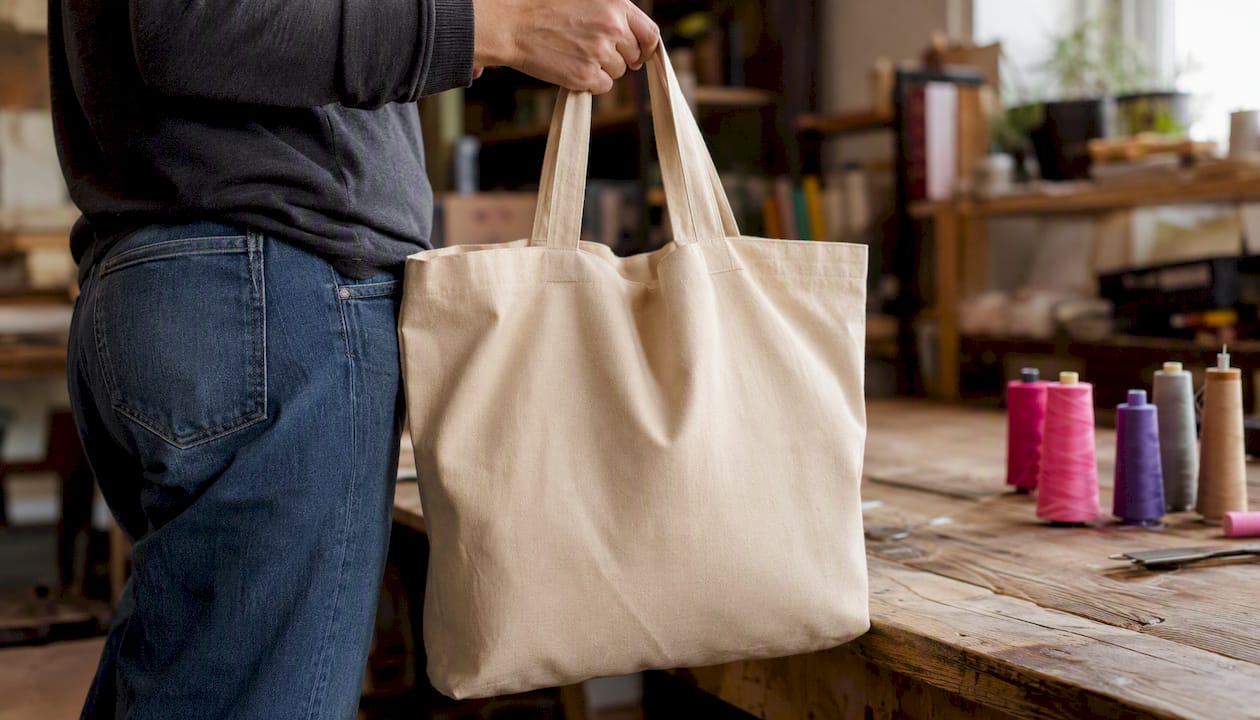
The reason is practical, not aesthetic. A tote bag is a small, moving surface. It gets folded, stuffed, and carried at arm’s length. Intricate details compress into visual noise. A design that reads clearly from ten feet away, in two seconds, is the one that gets noticed at a market table or in a social media scroll. Simplicity is not a creative limitation; it is a production and marketing advantage.
Small sellers who start with one or two tight, niche designs and test them with physical samples before scaling tend to build more sustainable product lines than those who launch ten designs at once. The sample order is not optional; it is the step that tells you whether your concept works in the real world before you spend real money on inventory.
Shaysprintshop makes it easy to go from design to finished tote
You have the ideas, the tools, and the checklist. The next step is getting a physical product in your hands, and that is where Shaysprintshop comes in. Shaysprintshop handles custom tote printing with DTF and DTG, which means your full-color designs print cleanly on natural canvas without color limits or large minimum orders.
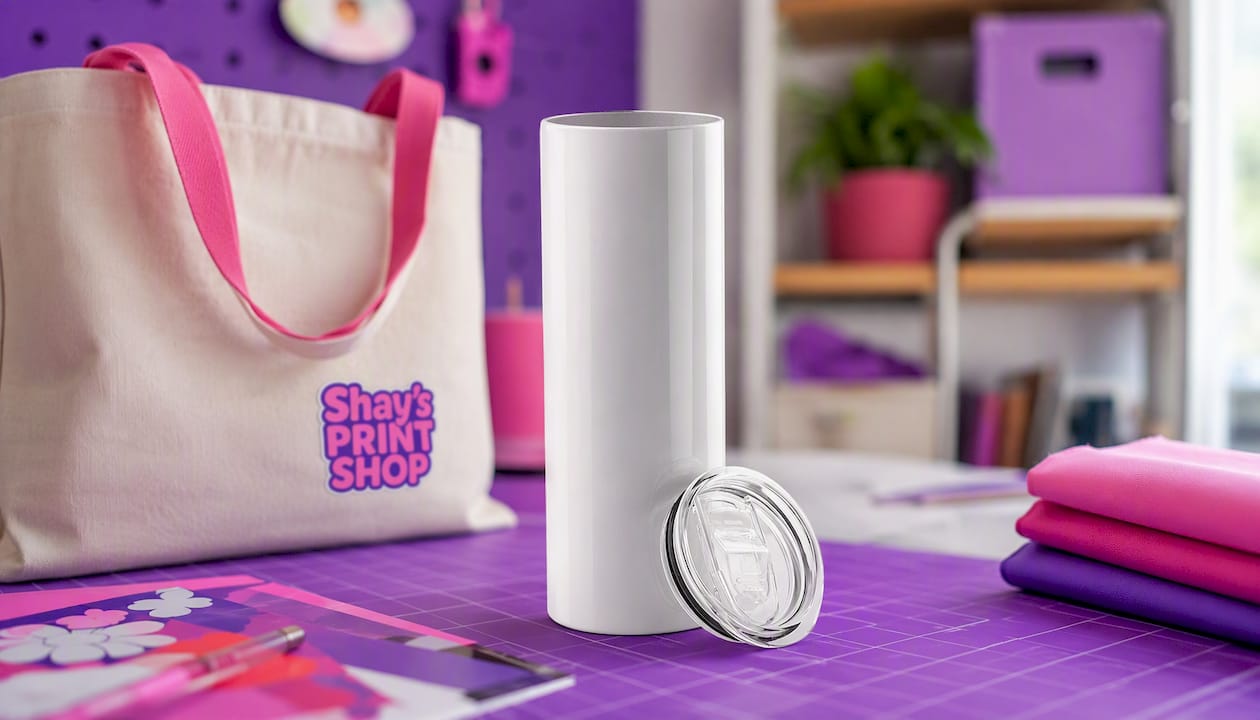
Fast turnaround, bulk pricing that drops your per-unit cost as your order grows, and US-based fulfillment mean you are not waiting weeks for a sample or paying international shipping on a test run. The same bulk-pricing approach behind their popular apparel packages applies to tote orders, so scaling from a sample to a sellable run is straightforward. Browse the custom tote bag collection to see options, or go straight to the custom apparel and printing page to get a quote and start your order.
Useful resources to keep building
- Adobe Express tote templates: Free and paid templates for typography, nature, and personalization themes. Best for fast prototyping.
- Kittl: Vintage, badge, and illustration-heavy design tool with built-in mockup previews. Free tier available.
- Canva: Pattern repeats, photo-based designs, and team collaboration. The mockup drop-in feature is the fastest way to preview your art on a bag photo.
- Pinterest tote inspiration boards: Use for moodboarding and trend spotting before you open your design tool. Search “tote bag design 2026” for current visual directions.
- Shopify’s tote design guide: Covers 11 design directions and explains how tote merch works as packaging, products, and giveaways. Useful for business-model thinking alongside design inspiration.
- Freepik and Mockup World: Free flat-lay tote mockup templates in PSD and PNG format. Download, drop in your art layer, and export at 300 DPI for a production-accurate preview.
- Etsy Seller Handbook: Practical guidance on listing optimization, photography, and pricing for handmade and print-on-demand products.
Sources
- 11 Tote Bag Design Ideas To Inspire Your Merch (Shopify)
- Custom canvas tote bag: 10 brilliant design ideas to try in Kittl (Kittl Blog)
- 10 unique tote bag design ideas | Adobe Express
- 67 Tote bag inspiration ideas (Pinterest)
0 comments